
If you’ve ever stared at a blank TV screen wondering what to plug in, you’re not alone. The streaming‑stick market is crowded, and picking the right device can feel like a gamble.
Many shoppers struggle to balance price, performance, and features—whether you need 4K HDR, voice control, or just basic HD. A Roku streaming stick comparison helps cut through the noise and reveal which model truly delivers.
In this guide we pit the Roku Streaming Stick HD, Roku Streaming Stick Plus, and Roku Ultra against each other (plus a quick look at Amazon Fire TV Stick rivals) to determine which offers the best value and performance for everyday viewers.
Roku Streaming Stick HD with Voice Remote | Compact 4K Streaming Device for TV with Roku Voice Remote & Long-Range Wi-Fi - Free & Live Local News
SolidUpdating your living room setup often starts with a simple question: how do I get my favorite apps on my TV without spending thousands on a new OLED panel? The answer usually lies in a small dongle plugged into your HDMI port. However, when you dive into the Roku streaming stick comparison landscape, the options can be overwhelming. From budget-friendly HD sticks to high-end powerhouse boxes, the price gap is significant.
In this showdown, we are pitting the Roku lineup—including the HD Stick, the Plus, and the Ultra—against each other and the popular Amazon Fire TV alternatives to determine which device delivers the best balance of performance and price.
Why Choose a Streaming Device?
Even if you have a "Smart TV," built-in operating systems often become sluggish over time, and app support can dwindle. A dedicated streaming device offers several advantages:
- Faster Interface: Dedicated hardware usually handles navigation more smoothly than built-in TV software.
- Updated App Support: Roku and Amazon update their platforms far more frequently than TV manufacturers.
- Portability: You can easily move your streaming stick from the living room to the bedroom or take it on vacation.
- Better Remotes: Voice search and dedicated app buttons make finding content significantly faster.
Key Features to Compare
When choosing between these devices, you should focus on four primary metrics:
- Resolution: Do you have a 4K TV? If so, an HD stick will leave your picture looking soft. If you have a 1080p TV, paying for 4K is a waste of money.
- Connectivity: Wi-Fi 6 is a game-changer for those with high-speed internet, reducing buffering in 4K streams.
- HDR Support: HDR10+ and Dolby Vision provide better contrast and color accuracy.
- Remote Functionality: From basic voice control to backlit buttons and rechargeable batteries.
Roku Streaming Stick HD vs. Plus vs. Ultra
Roku offers a tiered approach to streaming. Here is how the internal family breaks down:
Roku Streaming Stick HD
The entry-level choice for those who don't need 4K. It's a compact device designed for simplicity and reliability.
- Price: $29.99
- Pros: Extremely affordable, easy setup, long-range Wi-Fi.
- Cons: Limited to HD resolution; not suitable for 4K TVs.
Bottom Line: Best for guest rooms or older TVs where 4K isn't an option.
Roku Streaming Stick Plus
The "sweet spot" for most users, bringing 4K capabilities into a portable stick format.
- Price: $38.09 (Down from $39.99)
- Pros: 4K & HDR10+ support, compact design, great value.
- Cons: Lacks the advanced processing power of the Ultra.
Bottom Line: The best value-for-money 4K option in the Roku lineup.
Roku Ultra
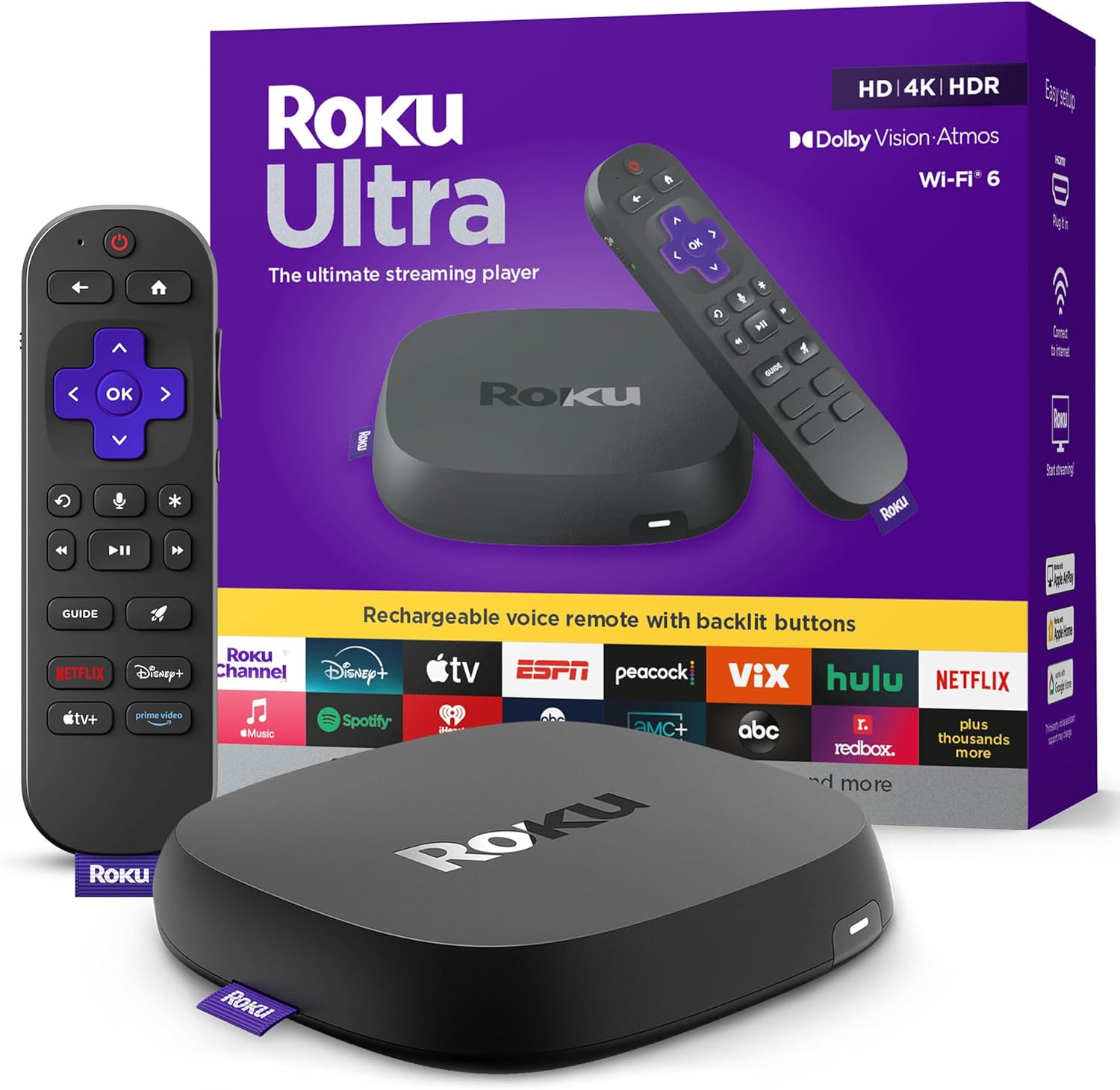
The flagship experience. This is a set-top box rather than a stick, offering the most robust hardware Roku makes.
- Price: $90.99 (Down from $99.99)
- Pros: Wi-Fi 6, Dolby Vision, Atmos, and a premium rechargeable remote with backlit buttons.
- Cons: Significantly more expensive; takes up more physical space.
Bottom Line: For the power user who wants the fastest interface and the best possible audio/visual quality.
Performance & Streaming Quality
When comparing performance, the Roku Ultra wins hands down. Thanks to its superior processor and Wi-Fi 6 support, app switching is nearly instantaneous. The Roku Streaming Stick Plus performs admirably, though you may notice a slight lag when navigating heavy menus compared to the Ultra.
In terms of visual quality, the jump from the HD Stick ($29.99) to the Plus ($38.09) is massive. If you own a 4K TV, the Plus is a mandatory upgrade. For those who want the absolute peak of cinema quality, the Ultra's support for Dolby Vision provides a level of detail and color depth that the Plus cannot match.
Price & Value Analysis
Let's look at the numbers. For a difference of only $8.10, you can move from the HD Stick to the 4K Plus. This is arguably the best deal in the entire streaming market.
However, the jump to the Ultra is steep. At $90.99, you are paying more than double the price of the Plus. Is it worth it? For most, no. But for those who hate replacing batteries in remotes or struggle with Wi-Fi dead zones (where Wi-Fi 6 helps), the investment pays off.
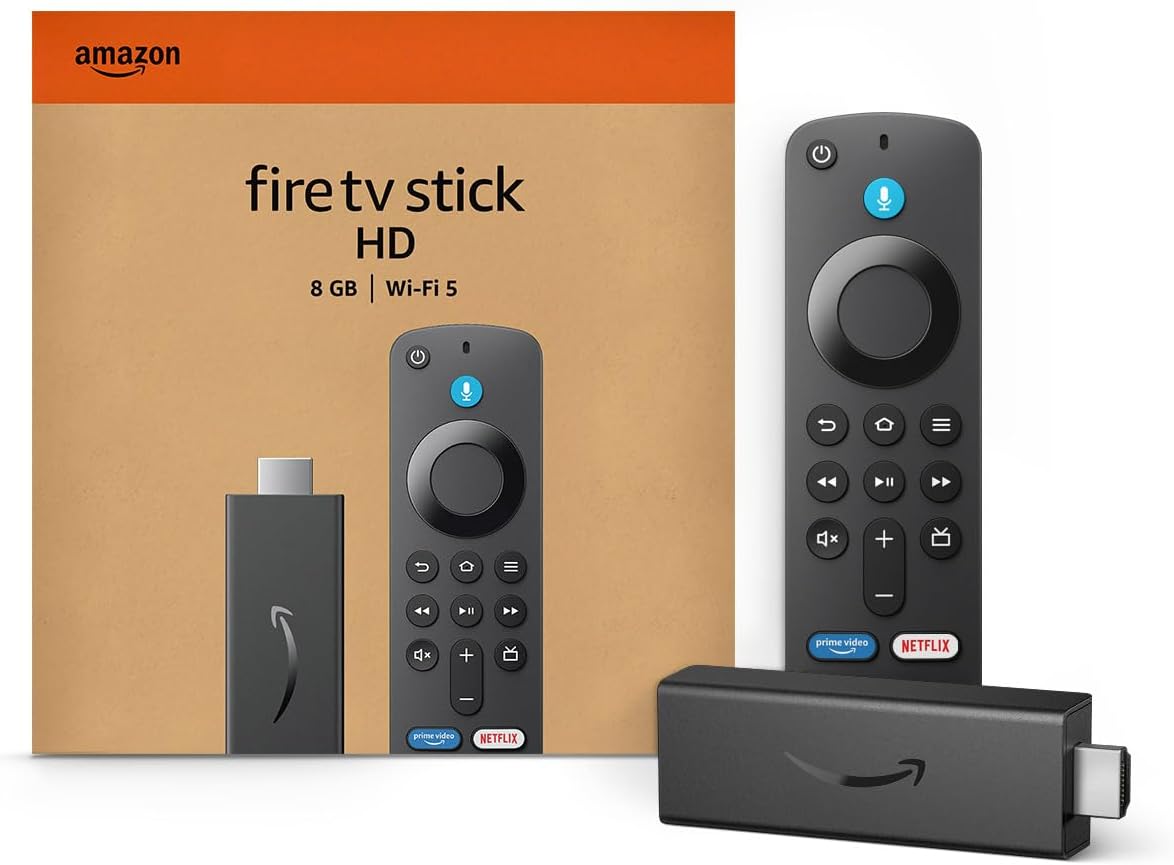
Comparing these to the Amazon Fire TV Stick 4K Plus ($49.99), Roku generally offers a cleaner, less "ad-heavy" interface, while Amazon offers deeper integration with Alexa and AI-powered search.
User Experience & Remote Controls
Roku is famous for its "neutral" interface. It doesn't push one specific streaming service over another, which makes the user experience feel more honest.
- HD & Plus Remotes: Standard voice remotes. They are functional and intuitive but feel plastic-y.
- Ultra Remote Pro: A massive upgrade. The backlit buttons are a lifesaver for movie nights in the dark, and the rechargeable battery eliminates the "dead remote" frustration.
- Fire TV Remotes: Very similar to Roku, but the AI-powered search on the newer $49.99 model is slightly more proactive in suggesting content.
Which Roku Device Is Right for You?
To simplify your decision, follow these guidelines:
- "I have an old TV and just want Netflix to work." → Go with the Roku Streaming Stick HD ($29.99).
- "I have a 4K TV and want a great picture without spending much." → Go with the Roku Streaming Stick Plus ($38.09).
- "I am a home theater enthusiast with a high-end sound system and 4K HDR TV." → Go with the Roku Ultra ($90.99).
Final Verdict & Recommendations
After analyzing the specs and pricing, the Roku Streaming Stick Plus is the overall winner for the average consumer. At $38.09, it provides 4K HDR streaming and a reliable interface for a price that is accessible to everyone.
If budget is absolutely no object and you want the "luxury" experience, the Roku Ultra is the gold standard. However, for 90% of users, the Plus delivers 90% of the performance for less than half the price.
Conclusion
Whether you are looking for a budget-friendly upgrade for a spare room or a powerhouse for your main cinema setup, Roku has a solution. The Roku streaming stick comparison shows a clear path: start with the Plus for the best value, and only move to the Ultra if you specifically need Wi-Fi 6 or a premium remote. No matter which you choose, you're getting a stable, user-friendly platform that beats most built-in smart TV apps.
At a glance
| Use Case | Product | Why |
|---|---|---|
| Best Overall | Roku Streaming Stick HD with Voice Remote | Compact 4K Streaming Device for TV with Roku Voice Remote & Long-Range Wi-Fi - Free & Live Local News | Roku Streaming Stick HD with Voice Remote | Compact 4K Streaming Device for TV with Roku Voice Remote & Long-Range Wi-Fi - Free & Live Local News, Sports |
| Best Value | Roku Streaming Stick Plus with Voice Remote - 4K & HDR10+ | 4K & HDR Streaming Device for TV with Roku Voice Remote - Free & Live Local News | Roku Streaming Stick Plus with Voice Remote - 4K & HDR10+ | 4K & HDR Streaming Device for TV with Roku Voice Remote - Free & Live Local News, Sports |
| Premium Pick | Roku Ultra | Roku Ultra, Ultimate Streaming Player - 4K Streaming Device for TV | HDR10+, Dolby Vision & Atmos - Bluetooth & Wi-Fi 6 - Rechargeable Voice Remote Pro with Backlit Buttons - Free & Live TV |
| Also Great | Amazon Fire TV Stick 4K Plus (newest model) with AI-powered Fire TV Search | Amazon Fire TV Stick 4K Plus (newest model) with AI-powered Fire TV Search, Wi-Fi 6, stream hundreds of thousands of movies and shows, free & live TV, find shows faster with Alexa+ Reducing CO2 |
| Also Great | Amazon Fire TV Stick HD | Amazon Fire TV Stick HD, free and live TV, Alexa Voice Remote, smart home controls, HD streaming |
Performance Breakdown
Scores out of 10. Based on the Abvorn Verdict Engine.
Products Mentioned

Roku Streaming Stick HD with Voice Remote | Compact 4K Streaming Device for TV with Roku Voice Remote & Long-Range Wi-Fi - Free & Live Local News

Roku Streaming Stick Plus with Voice Remote - 4K & HDR10+ | 4K & HDR Streaming Device for TV with Roku Voice Remote - Free & Live Local News

Amazon Fire TV Stick 4K Plus (newest model) with AI-powered Fire TV Search


Frequently Asked Questions
What is the best streaming devices?
Roku Streaming Stick HD with Voice Remote | Compact 4K Streaming Device for TV with Roku Voice Remote & Long-Range Wi-Fi - Free & Live Local News is our current top pick for Streaming Devices. It earned an Abvorn Verdict score of 6.8/10 for performance & speed, interface & ease of use, content availability, and at $29.99 it offers the strongest balance of performance & speed, interface & ease of use, content availability for the money.
Is Roku Streaming Stick HD with Voice Remote | Compact 4K Streaming Device for TV with Roku Voice Remote & Long-Range Wi-Fi - Free & Live Local News worth it?
Based on our research, yes for most people. Roku Streaming Stick HD with Voice Remote | Compact 4K Streaming Device for TV with Roku Voice Remote & Long-Range Wi-Fi - Free & Live Local News scored 6.8/10 on our rubric, which weighs performance & speed, interface & ease of use, content availability in proportion to what real buyers care about. Roku Streaming Stick HD with Voice Remote | Compact 4K Streaming Device for TV with Roku Voice Remote & Long-Range Wi-Fi - Free & Live Local News excels in Value for Money but falls short on Features & Voice. Our view: The best bang for your buck — ideal if you're watching your wallet.
How much should I spend on streaming devices?
You can get a genuinely good streaming devices for around $30. Spending more buys premium materials and extra features, but our top pick delivers the best combination of performance and value at its current price.
What should I look for when buying streaming devices?
We score every product on performance & speed, interface & ease of use, content availability. Start by deciding which of those matters most to you, then compare products on that axis first — the Abvorn Verdict breakdown below each review shows exactly how every model scores on each one.
How does Abvorn test products?
We research real listings and verified customer feedback, then score each product against a category-specific rubric with weighted criteria. Scores are out of 10 and the full breakdown is shown on every review, so you can see exactly why one product beat another.