
Whether you're a content creator looking to elevate your live streams, a remote professional juggling daily video calls, or a casual user who just wants to look presentable on Zoom — choosing the right webcam can make or break your experience. In 2026, the market is flooded with options ranging from budget-friendly picks under $20 to premium streaming-grade cameras that rival dedicated cameras. This guide cuts through the noise and reviews the best webcams for streaming and video calls based on real performance, pricing, and user feedback. We've researched and analyzed five standout models to help you find the perfect fit for your setup and budget.
Logitech Brio 101 Full HD 1080p Webcam for Streaming and Meetings - Black | 1080p with auto-light correction
Solid
Why a Good Webcam Matters
Your webcam is the window to your digital world. In an era where first impressions are often made over video, a poor-quality camera can undermine your credibility, make you look unprofessional, and drain your confidence during calls or live broadcasts. Here's why investing in a quality webcam matters:
- Visual clarity: A sharp, high-resolution image ensures you look crisp and professional, even on large screens or projected displays.
- Low-light performance: Built-in light correction and auto-exposure features prevent you from looking like a blurry silhouette in dimly lit rooms.
- Audio quality: Many modern webcams include noise-reducing microphones that eliminate the need for a separate mic setup — a big win for streamers and remote workers alike.
- Streaming readiness: For content creators, a webcam that supports high frame rates (30fps or higher) and wide fields of view can transform the quality of your live broadcasts on Twitch, YouTube, or Zoom.
- Compatibility: The best webcams work seamlessly across platforms — Teams, Google Meet, Zoom, Skype, and even gaming consoles like the Nintendo Switch 2.
Simply put, a good webcam isn't a luxury — it's a necessity in today's connected world.
Key Features Drafted for 2026
When shopping for the best webcams for streaming and video calls in 2026, keep an eye on these critical features:
- Resolution: Full HD 1080p is now the standard. 720p is acceptable for budget use, but 1080p delivers noticeably sharper detail for streaming and professional calls.
- Frame Rate: 30fps is the sweet spot for smooth video. Some premium models offer 60fps, which is ideal for fast-moving content and gaming streams.
- Field of View (FOV): Wider angles (90°+) are great for group calls or streaming setups where you want to show more of your surroundings. Narrower FOVs (65°–78°) work well for solo, desk-focused setups.
- Auto Light Correction: Look for webcams with HDR or auto-exposure technology that adapts to changing lighting conditions without manual adjustment.
- Built-in Microphone: Dual or noise-reducing mics save desk space and eliminate the need for a separate microphone — especially valuable for streamers using a minimalist setup.
- Privacy Shutter: A physical lens cover adds a layer of security, preventing unauthorized access to your camera when it's not in use.
- Plug & Play USB: USB-A and USB-C compatibility ensures easy setup across laptops, desktops, and tablets without driver hassles.
- Certifications & Sustainability: ECOLOGO and ClimatePartner certifications indicate environmentally responsible manufacturing — a growing priority for conscious consumers.
Product Showdown: Logitech Brio, Logitech C270, and 1080P HD Webcam with Mic


1. Logitech Brio 101 Full HD 1080p Webcam
Price: $37.07 (was $39.42) | Rating: 4.4/5 (7,316 reviews) | /p>
The Logitech Brio 101 is a compelling mid-range option that brings Full HD 1080p streaming quality to a surprisingly affordable price point. As part of Logitech's trusted Brio lineup, this webcam delivers auto-light correction that adjusts exposure in real time, ensuring you look well-lit whether you're sitting in a sunlit room or a dimly lit office. The built-in microphone captures clear audio, and the privacy shutter gives you peace of mind when the camera isn't in use.
Key Features:
- Full HD 1080p resolution with auto-light correction
- Built-in microphone with clear audio capture
- Privacy shutter for physical lens coverage
- USB-A connectivity — plug and play
- Compatible with Teams, Google Meet, Zoom, and more
- ECOLOGO certified
Pros:
- Excellent price-to-performance ratio at under $40
- Reliable Logitech build quality and brand reputation
- Auto-light correction works well in varied environments
- Massive user base with overwhelmingly positive feedback (7,316+ ratings)
Cons:
- No 4K resolution — Full HD only, which may feel limiting for ultra-streaming setups
- No USB-C native connection; requires an adapter for newer laptops
- Frame rate specs are not explicitly listed as 30fps in the product listing
- No wide-angle lens option for group streaming setups
Bottom Line: The Logitech Brio 101 is the best value pick for streamers and professionals who want reliable 1080p quality without breaking the bank. At $37.07, it punches well above its price class and is an excellent entry point into the world of dedicated streaming webcams.
2. 1080P HD Webcam with Microphone
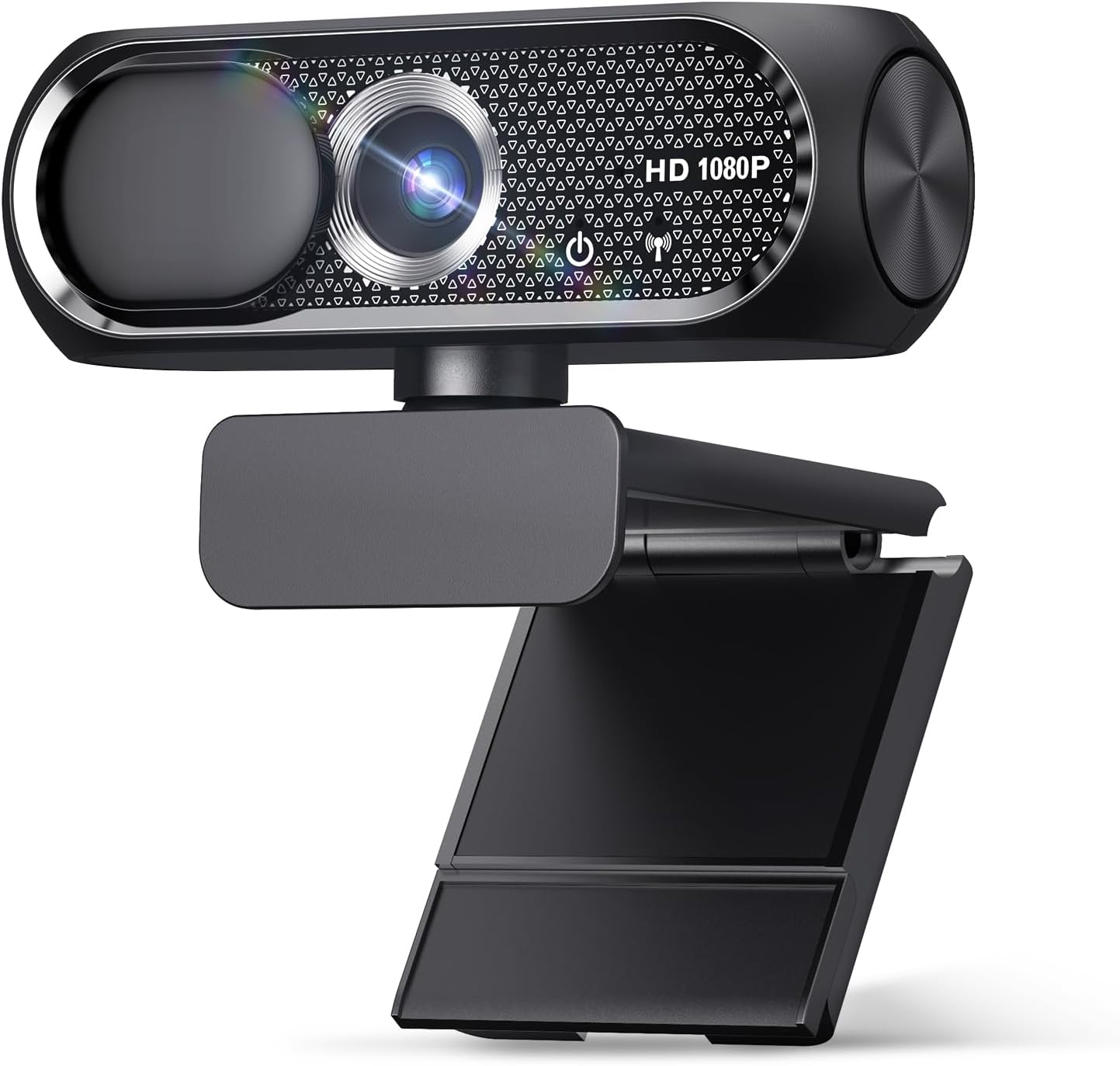
Price: $16.99 (was $19.99) | Rating: 4.7/5 (75 reviews) | /p>
This budget 1080P HD webcam is the cheapest option we're reviewing, and it's remarkable how much it delivers for the price. With a wide-angle lens and a built-in microphone, it's designed for users who need a simple, no-frills webcam for video calls on Zoom, Skype, or similar platforms. The privacy cover is a nice touch, and the plug-and-play USB setup means you can be up and running in seconds.
Key Features:
- 1080P HD resolution for clear video calls
- Built-in microphone with decent audio quality
- Wide-angle lens for broader coverage
- Privacy cover included
- Plug & Play USB — no drivers needed
- Compatible with Laptop, Desktop, PC, Mac, Zoom, Skype
Pros:
- Unbeatable price at just $16.99 — the most affordable 1080p option on the list
- Simple plug-and-play setup with zero configuration
- Wide-angle lens is useful for group calls
- Privacy cover adds a thoughtful security feature
Cons:
- Limited user reviews (75 ratings) — less proven track record than established models
- Lower build quality compared to Logitech and EMEET alternatives
- No auto-light correction or advanced features like HDR
- Microphone quality is likely inferior to dedicated webcam mics or external options
- Not ideal for serious streaming — more suited for casual video calls
Bottom Line: If you need a basic webcam for occasional video calls and have a tight budget, the $16.99 1080P HD Webcam gets the job done. However, for streaming or professional use, you'll likely want to spend a bit more for better image quality and reliability.
3. Logitech C270 720p Webcam

Price: $17.99 (was $29.99) | Rating: 4.4/5 (21,303 reviews) | /p>
The Logitech C270 is a legendary webcam that has been a staple in the video calling world for years — and it remains relevant in 2026. While it's limited to 720p resolution, its auto-light correction and noise-reducing microphone make it a dependable choice for everyday video calls. The fact that it's now available at a steep discount ($17.99, down from $29.99) makes it an even more attractive option for budget-conscious users.
Key Features:
- 720p HD resolution with wide-screen format
- Auto-light correction for consistent image quality
- Noise-reducing microphone for clear audio
- Plug-and
At a glance
| Use Case | Product | Why |
|---|---|---|
| Best Overall | Logitech Brio 101 Full HD 1080p Webcam for Streaming and Meetings - Black | 1080p with auto-light correction | Logitech Brio 101 Full HD 1080p Webcam for Streaming and Meetings - Black | 1080p with auto-light correction, built-in mic, privacy shutter, USB-A, compatible with Teams, Google Meet, Zoom and more ECOLOGO |
| Best Value | 1080P HD Webcam with Microphone | 1080P HD Webcam with Microphone, Privacy Cover, Wide-Angle Lens, Plug & Play USB Webcam for Laptop, Desktop, PC, Mac, Zoom, Skype (Deep Black) |
| Premium Pick | Logitech C270 720p Webcam Plug-and-Play Wide Screen Video Calling - Black | Auto-Light Correct | Logitech C270 720p Webcam Plug-and-Play Wide Screen Video Calling - Black | Auto-Light Correct, Noise-Reducing Mic, Zoom, Microsoft, Teams, Skype, Nintendo Switch 2 New GameChat Mode, PC Mac compatible ECOLOGO |
| Also Great | EMEET C960 1080P Webcam with Microphone | EMEET C960 1080P Webcam with Microphone, 2 Mics, 90° FOV, Computer Camera | USB Type-A & A-to-C Adapter, Fixed Focus, Plug&Play for Zoom/Teams/Facetime/YouTube/Google Meet/Switch 2 Camera, 2025 Version ClimatePartner certified |
| Also Great | Logitech C920x HD Pro PC Webcam Full 1080p/30fps Video - Black | 30fps Video | Logitech C920x HD Pro PC Webcam Full 1080p/30fps Video - Black | 30fps Video, Clear Audio, Light Correction, Works with Teams, Meet, Zoom, Nintendo Switch 2, Mac, Tablet ECOLOGO |
Performance Breakdown
Scores out of 10. Based on the Abvorn Verdict Engine.
Products Mentioned
Logitech Brio 101 Full HD 1080p Webcam for Streaming and Meetings - Black | 1080p with auto-light correction


Logitech C270 720p Webcam Plug-and-Play Wide Screen Video Calling - Black | Auto-Light Correct


Logitech C920x HD Pro PC Webcam Full 1080p/30fps Video - Black | 30fps Video

Frequently Asked Questions
What is the best webcams?
Logitech Brio 101 Full HD 1080p Webcam for Streaming and Meetings - Black | 1080p with auto-light correction is our current top pick for Webcams. It earned an Abvorn Verdict score of 7.0/10 for video quality, audio quality, features & software, and at $38.35 it offers the strongest balance of video quality, audio quality, features & software for the money.
Is Logitech Brio 101 Full HD 1080p Webcam for Streaming and Meetings - Black | 1080p with auto-light correction worth it?
Based on our research, yes for most people. Logitech Brio 101 Full HD 1080p Webcam for Streaming and Meetings - Black | 1080p with auto-light correction scored 7.0/10 on our rubric, which weighs video quality, audio quality, features & software in proportion to what real buyers care about. Logitech Brio 101 Full HD 1080p Webcam for Streaming and Meetings - Black | 1080p with auto-light correction excels in Value for Money but falls short on Features & Software. Our view: The best bang for your buck — ideal if you're watching your wallet.
How much should I spend on webcams?
You can get a genuinely good webcams for around $40. Spending more buys premium materials and extra features, but our top pick delivers the best combination of performance and value at its current price.
What should I look for when buying webcams?
We score every product on video quality, audio quality, features & software. Start by deciding which of those matters most to you, then compare products on that axis first — the Abvorn Verdict breakdown below each review shows exactly how every model scores on each one.
How does Abvorn test products?
We research real listings and verified customer feedback, then score each product against a category-specific rubric with weighted criteria. Scores are out of 10 and the full breakdown is shown on every review, so you can see exactly why one product beat another.