
Choosing the right webcam can feel overwhelming—especially with the flood of 720p and 1080p options on the market. Our webcam buying guide cuts through the noise to help you compare the best models, understand what matters most, and pick the camera that fits your workflow and budget.
Logitech Brio 101 Full HD 1080p Webcam for Streaming and Meetings - Black | 1080p with auto-light correction
Solid
What to Look For in a Webcam
Before you dive into the product list, keep these core criteria in mind:
- Resolution & Frame Rate: 1080p at 30fps delivers crisp video; 720p is fine for casual calls.
- Auto‑Light Correction: Adjusts exposure automatically, so you don’t need to tweak settings.
- Built‑in Microphone: Look for dual mics or noise‑reducing tech for clearer audio.
- Privacy Shutter: Physical cover for peace of mind.
- Compatibility: Works with Zoom, Teams, Google Meet, and your operating system.
- Price & Value: Balance cost against features you actually need.
Top Webcam Picks and Comparisons
| Product | Resolution | Price | Rating | Best For |
|---|---|---|---|---|
| Logitech Brio 101 | 1080p | $37.07 (was $39.42) | 4.4★ (7,316 reviews) | Streaming & professional meetings |
| 1080P HD Webcam with Mic | 1080p | $16.99 (was $19.99) | 4.7★ (75 reviews) | Budget-friendly daily use |
| Logitech C270 | 720p | $17.99 (was $29.99) | 4.4★ (21,303 reviews) | Basic video calling |
| EMEET C960 | 1080p | $28.49 (was $39.99) | 4.4★ (2,228 reviews) | Versatile for work & gaming |
| Logitech C920x HD Pro | 1080p | $69.99 | 4.6★ (21,920 reviews) | High‑end streaming & content creation |
Detailed Product Reviews
Logitech Brio 101 Full HD 1080p Webcam


The Brio 101 is a lightweight, USB‑A webcam that brings professional features to a modest price. It’s a great mid‑tier choice for streamers and business users who need reliable performance without the premium cost.
Key Features- Full HD 1080p @ 30fps
- Auto‑light correction for consistent exposure
- Built‑in stereo microphone
- Privacy shutter
- Compatible with Teams, Zoom, Google Meet, and more
- Excellent value at $37.07
- Solid image quality for the price
- Easy plug‑and‑play
- No 4K support
- Single mic channel (no noise cancellation)
Bottom‑line recommendation: Ideal for professionals who need 1080p resolution without breaking the bank.
1080P HD Webcam with Microphone (Deep Black)
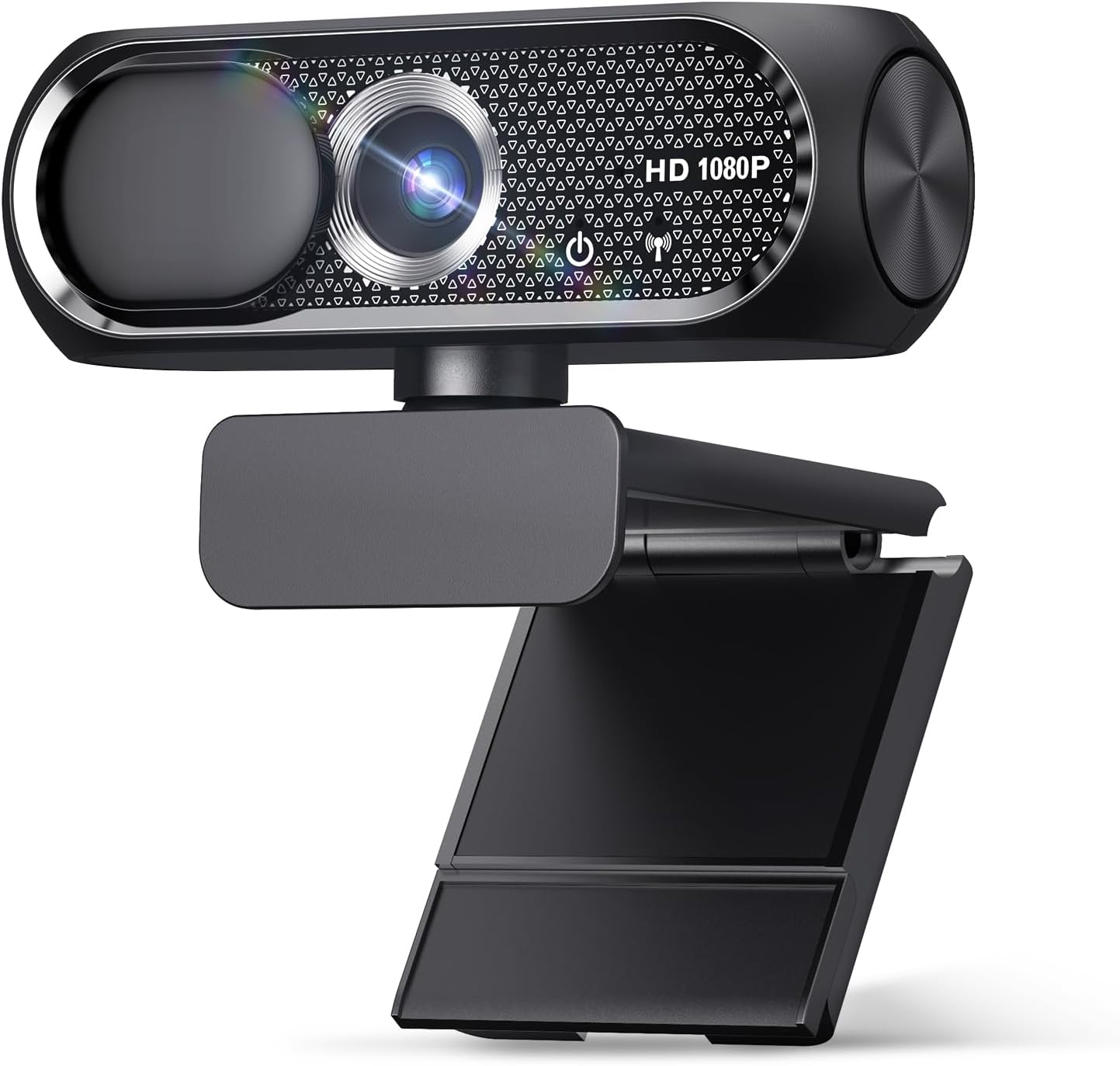
This budget model delivers 1080p video and a privacy cover at a surprisingly low price. It’s perfect for students or casual users who want a clean look without extra bells and whistles.
Key Features- Full HD 1080p @ 30fps
- Privacy cover
- Wide‑angle lens
- Plug‑and‑play USB
- Lowest price point ($16.99)
- Compact and portable
- Good for basic video calls
- Limited audio quality (single mic)
- No auto‑light correction
Bottom‑line recommendation: Great entry‑level option if you’re on a tight budget.
Logitech C270 720p Webcam

The C270 is a long‑standing favorite for simple video conferencing. It’s affordable, reliable, and supports a wide range of software.
Key Features- 720p video @ 30fps
- Auto‑light correction
- Noise‑reducing microphone
- Wide‑screen view
- Very low price ($17.99)
- Excellent audio for its class
- Works with almost any platform
- Lower resolution may feel dated
- No privacy shutter
Bottom‑line recommendation: Best ondeal for everyday video calls where budget trumps pixel count.
EMEET C960 1080P Webcam
The EMEET C960 offers a 90° field of view and dual microphones, making it a versatile choice for remote workers and gamers alike. Its fixed focus and climate‑partner certification add extra appeal.
Key Features- 1080p @ 30fps
- 90° wide‑angle lens
- Dual microphones
- USB‑A & USB‑C adapter
- ClimatePartner certified
- Great field of view for group calls
- Dual mics improve audio clarity
- Eco‑friendly certification
- Fixed focus may not suit all lenses
- Price higher than basic models ($28.49)
Bottom‑line recommendation: Ideal for users who need a wide‑angle view and better audio without paying premium.
Logitech C920x HD Pro PC Webcam

The C920x is a classic high‑end webcam that still dominates the market. It offers excellent video quality, dual microphones, and a range of software compatibility.
Key Features- 1080p @ 30fps
- Dual stereo microphones with noise reduction
- Auto‑light correction
- Built‑in privacy shutter
- USB‑A & USB‑C adapters included
- Top‑tier image and audio quality
- Versatile for streaming, gaming, and professional use
- Durable build
- Price at $69.99 is higher than many competitors
- No 4K or high‑frame‑rate options
Bottom‑line recommendation: Best for creators and professionals who need the highest reliability and audio quality.
How to Choose the Right Webcam for Your Needs
- Identify your primary use: Video calls, streaming, gaming, or content creation.
- Set a budget: Decide how much you’re willing to spend.
- Check resolution and frame rate: 1080p is standard; 720p may suffice for light use.
- Consider audio quality—dual microphones are preferable for noisy environments.
- Look for auto‑light correction if you’ll be in variable lighting.
- Make sure the webcam is software compatible with your preferred platforms.
- Don’t overlook privacy features if you value security.
Products Mentioned
At a glance
| Use Case | Product | Why |
|---|---|---|
| Best Overall | Logitech Brio 101 Full HD 1080p Webcam for Streaming and Meetings - Black | 1080p with auto-light correction | Logitech Brio 101 Full HD 1080p Webcam for Streaming and Meetings - Black | 1080p with auto-light correction, built-in mic, privacy shutter, USB-A, compatible with Teams, Google Meet, Zoom and more ECOLOGO |
| Best Value | 1080P HD Webcam with Microphone | 1080P HD Webcam with Microphone, Privacy Cover, Wide-Angle Lens, Plug & Play USB Webcam for Laptop, Desktop, PC, Mac, Zoom, Skype (Deep Black) |
| Premium Pick | Logitech C270 720p Webcam Plug-and-Play Wide Screen Video Calling - Black | Auto-Light Correct | Logitech C270 720p Webcam Plug-and-Play Wide Screen Video Calling - Black | Auto-Light Correct, Noise-Reducing Mic, Zoom, Microsoft, Teams, Skype, Nintendo Switch 2 New GameChat Mode, PC Mac compatible ECOLOGO |
| Also Great | EMEET C960 1080P Webcam with Microphone | EMEET C960 1080P Webcam with Microphone, 2 Mics, 90° FOV, Computer Camera | USB Type-A & A-to-C Adapter, Fixed Focus, Plug&Play for Zoom/Teams/Facetime/YouTube/Google Meet/Switch 2 Camera, 2025 Version ClimatePartner certified |
| Also Great | Logitech C920x HD Pro PC Webcam Full 1080p/30fps Video - Black | 30fps Video | Logitech C920x HD Pro PC Webcam Full 1080p/30fps Video - Black | 30fps Video, Clear Audio, Light Correction, Works with Teams, Meet, Zoom, Nintendo Switch 2, Mac, Tablet ECOLOGO |
Performance Breakdown
Scores out of 10. Based on the Abvorn Verdict Engine.
Products Mentioned
Logitech Brio 101 Full HD 1080p Webcam for Streaming and Meetings - Black | 1080p with auto-light correction


Logitech C270 720p Webcam Plug-and-Play Wide Screen Video Calling - Black | Auto-Light Correct


Logitech C920x HD Pro PC Webcam Full 1080p/30fps Video - Black | 30fps Video

Frequently Asked Questions
What is the best webcams?
Logitech Brio 101 Full HD 1080p Webcam for Streaming and Meetings - Black | 1080p with auto-light correction is our current top pick for Webcams. It earned an Abvorn Verdict score of 7.0/10 for video quality, audio quality, features & software, and at $38.35 it offers the strongest balance of video quality, audio quality, features & software for the money.
Is Logitech Brio 101 Full HD 1080p Webcam for Streaming and Meetings - Black | 1080p with auto-light correction worth it?
Based on our research, yes for most people. Logitech Brio 101 Full HD 1080p Webcam for Streaming and Meetings - Black | 1080p with auto-light correction scored 7.0/10 on our rubric, which weighs video quality, audio quality, features & software in proportion to what real buyers care about. Logitech Brio 101 Full HD 1080p Webcam for Streaming and Meetings - Black | 1080p with auto-light correction excels in Value for Money but falls short on Features & Software. Our view: The best bang for your buck — ideal if you're watching your wallet.
How much should I spend on webcams?
You can get a genuinely good webcams for around $40. Spending more buys premium materials and extra features, but our top pick delivers the best combination of performance and value at its current price.
What should I look for when buying webcams?
We score every product on video quality, audio quality, features & software. Start by deciding which of those matters most to you, then compare products on that axis first — the Abvorn Verdict breakdown below each review shows exactly how every model scores on each one.
How does Abvorn test products?
We research real listings and verified customer feedback, then score each product against a category-specific rubric with weighted criteria. Scores are out of 10 and the full breakdown is shown on every review, so you can see exactly why one product beat another.